
Downloads of latest NuestrosRanchos files:
I would encourage all in the tech group to occasionally (at least annually) download a copy of the latest nuestrosranchos files and
databases. The backups are stored offsite 4 times a month. This offsite backup site is called nuestrosranchos.net. I have a guest
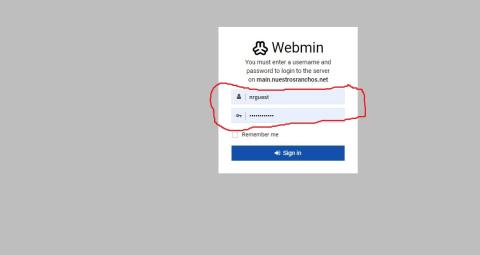
account setup to allow downloads. To Login go to the following link: main.nuestrosranchos.net:10000
The login is:
Username: nrguest
Password: nrguest2025# (Note: this was just changed for year 2025)
There are several ways to get to the nrbkups folder, where the NR files are stored.
The easiest way, after logging into the site mentioned above is:
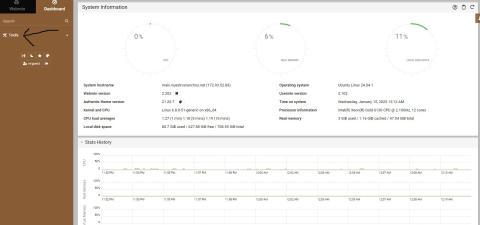
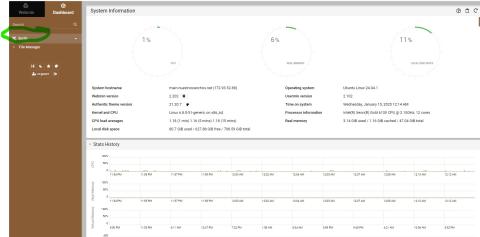
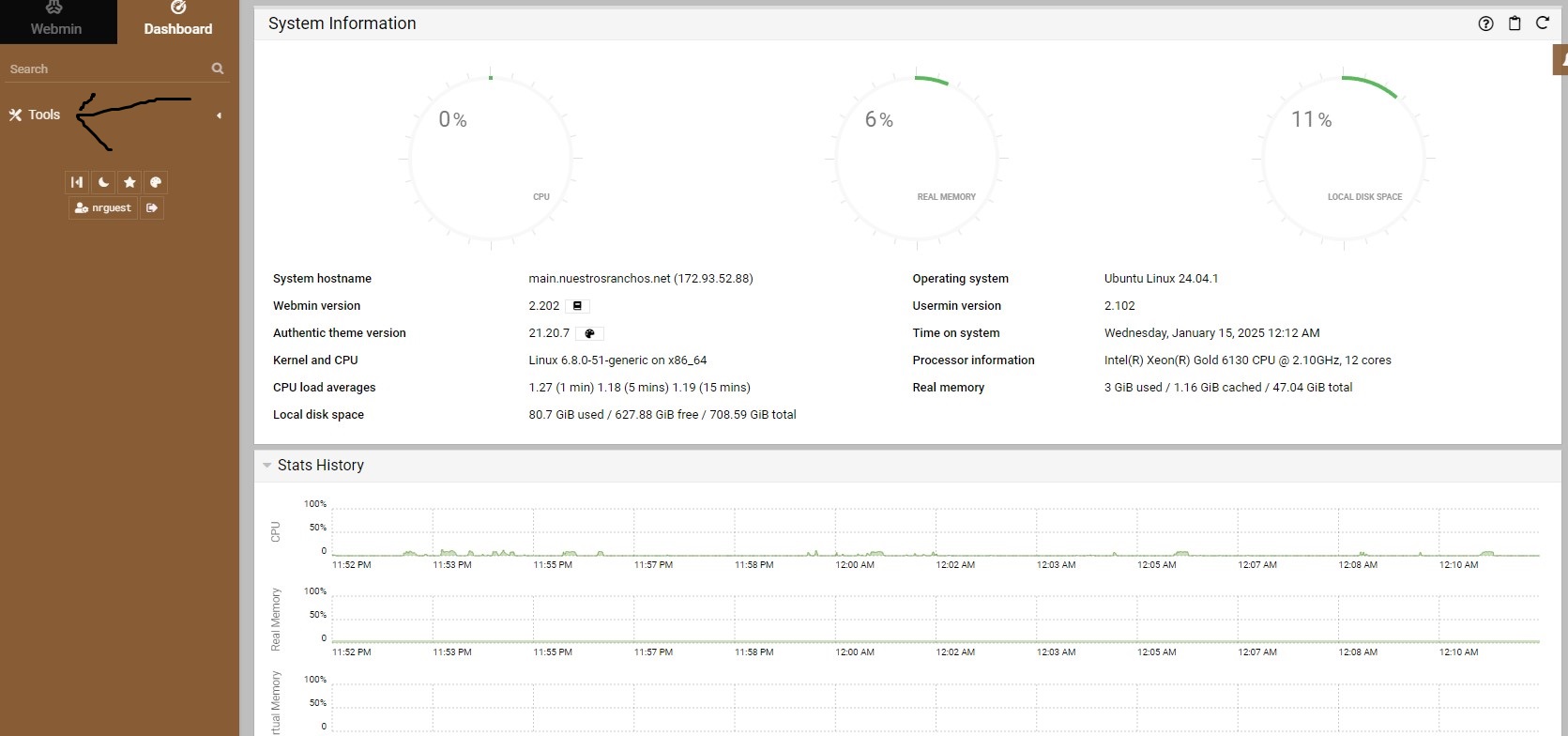
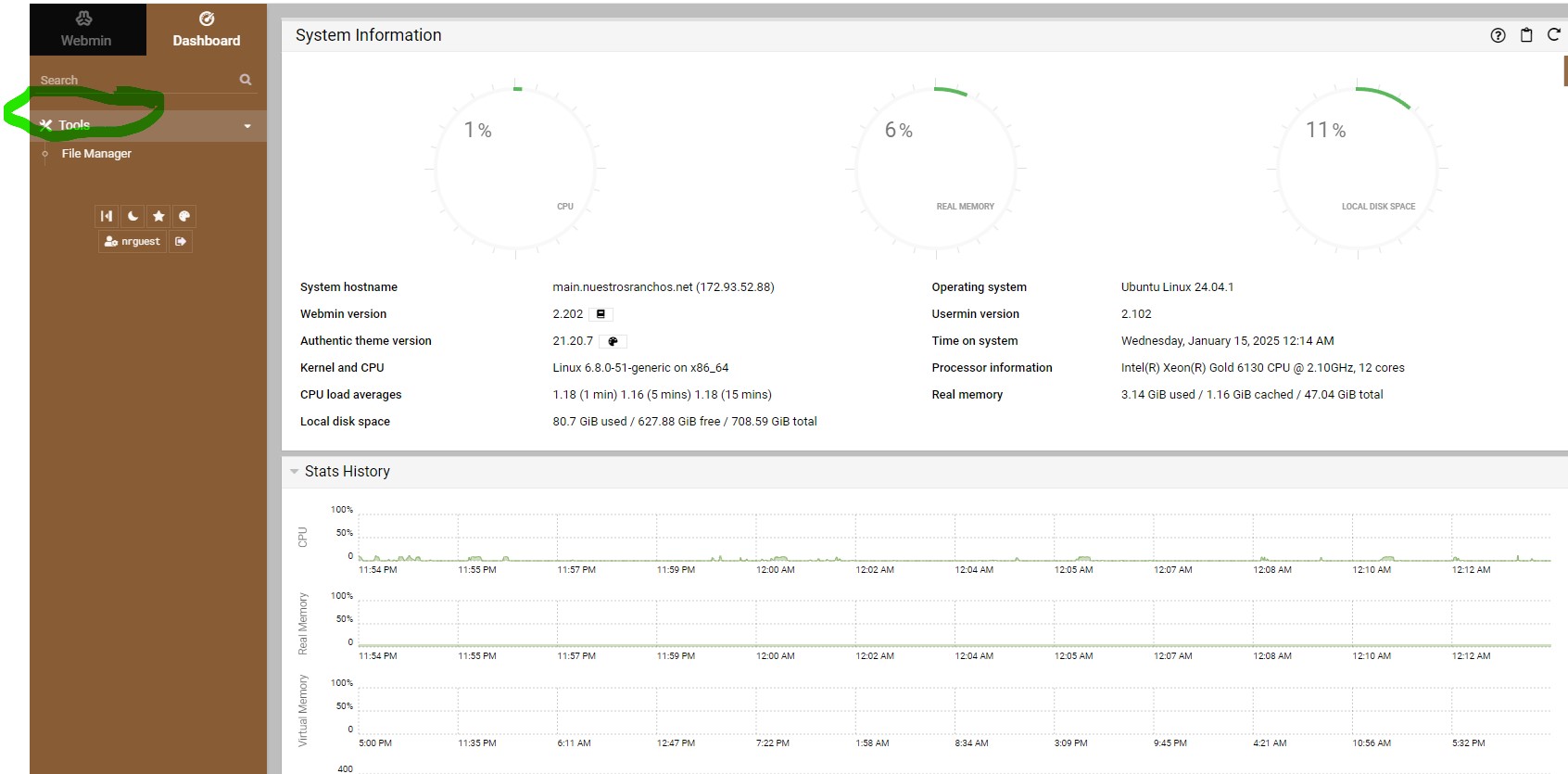
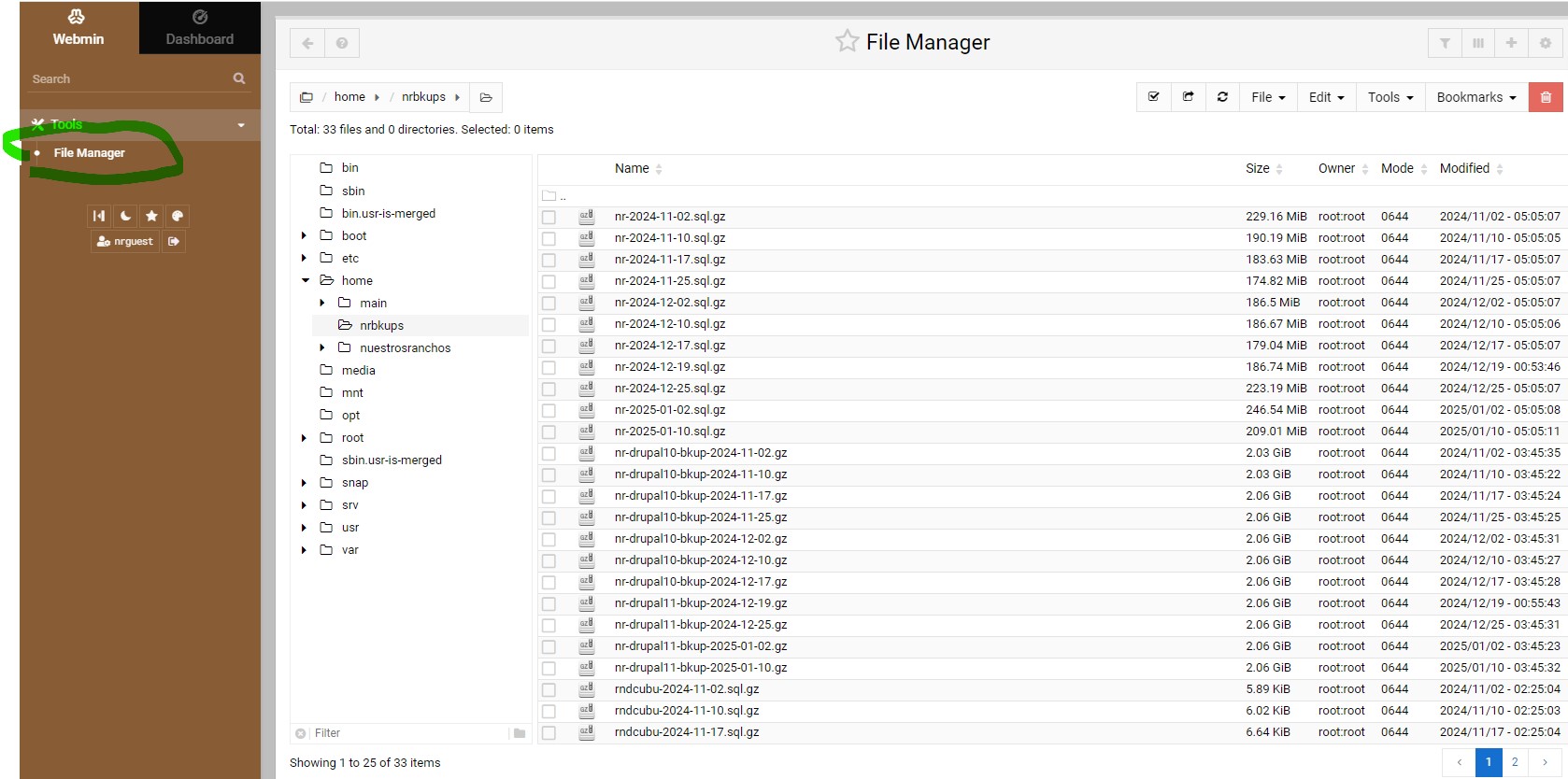
On left side of screen (in brown colored area), click on "Tools", and then in the same area click on "File Manager".
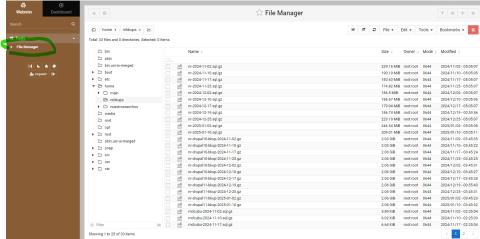
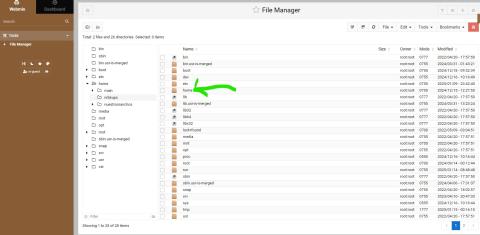
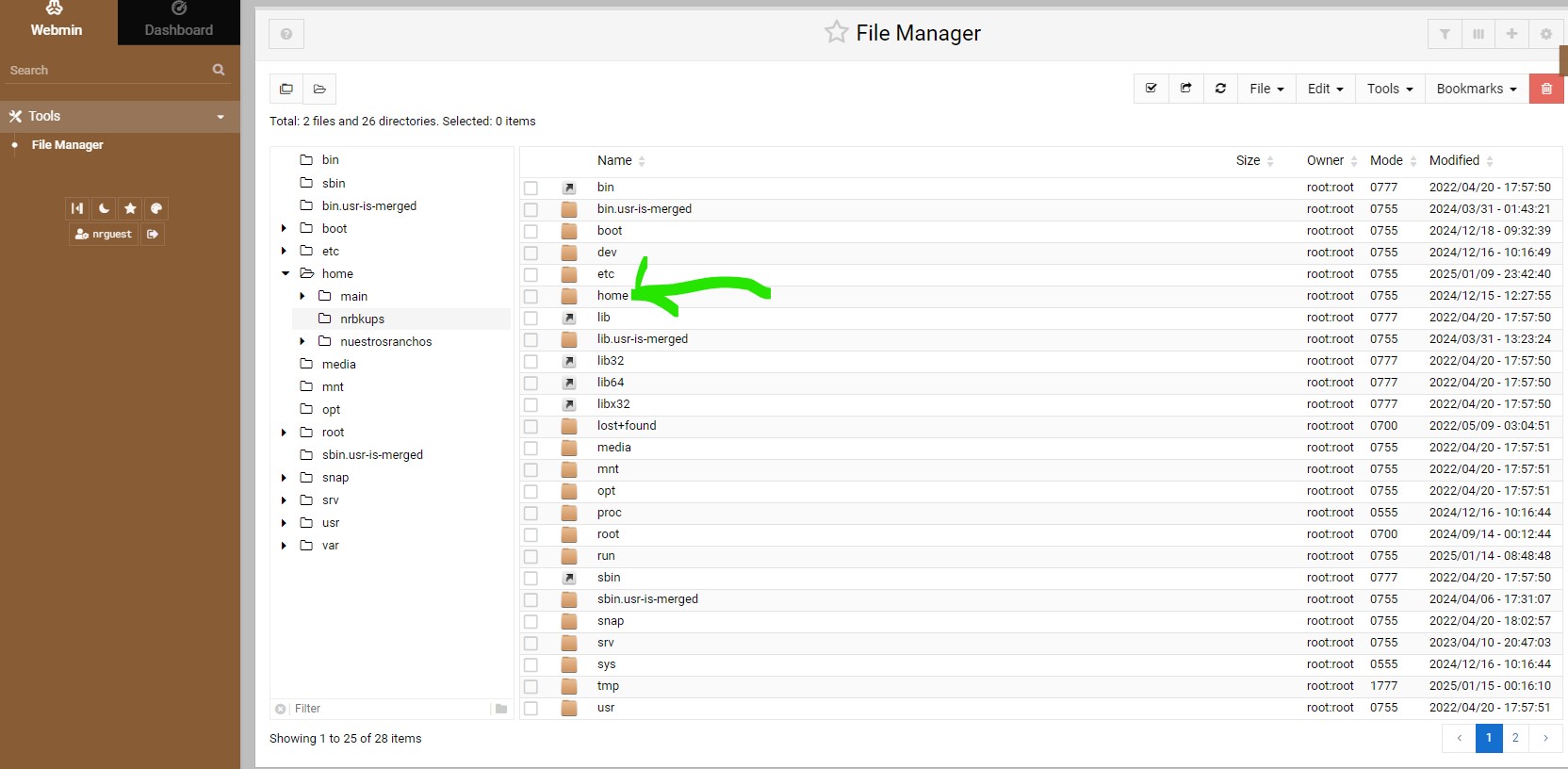
Then on the right side area (in white colored area), there are some brown colored icons. Click on the icon next
to the text called "Home".
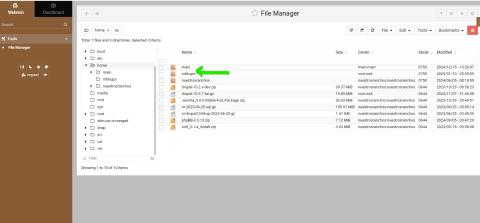
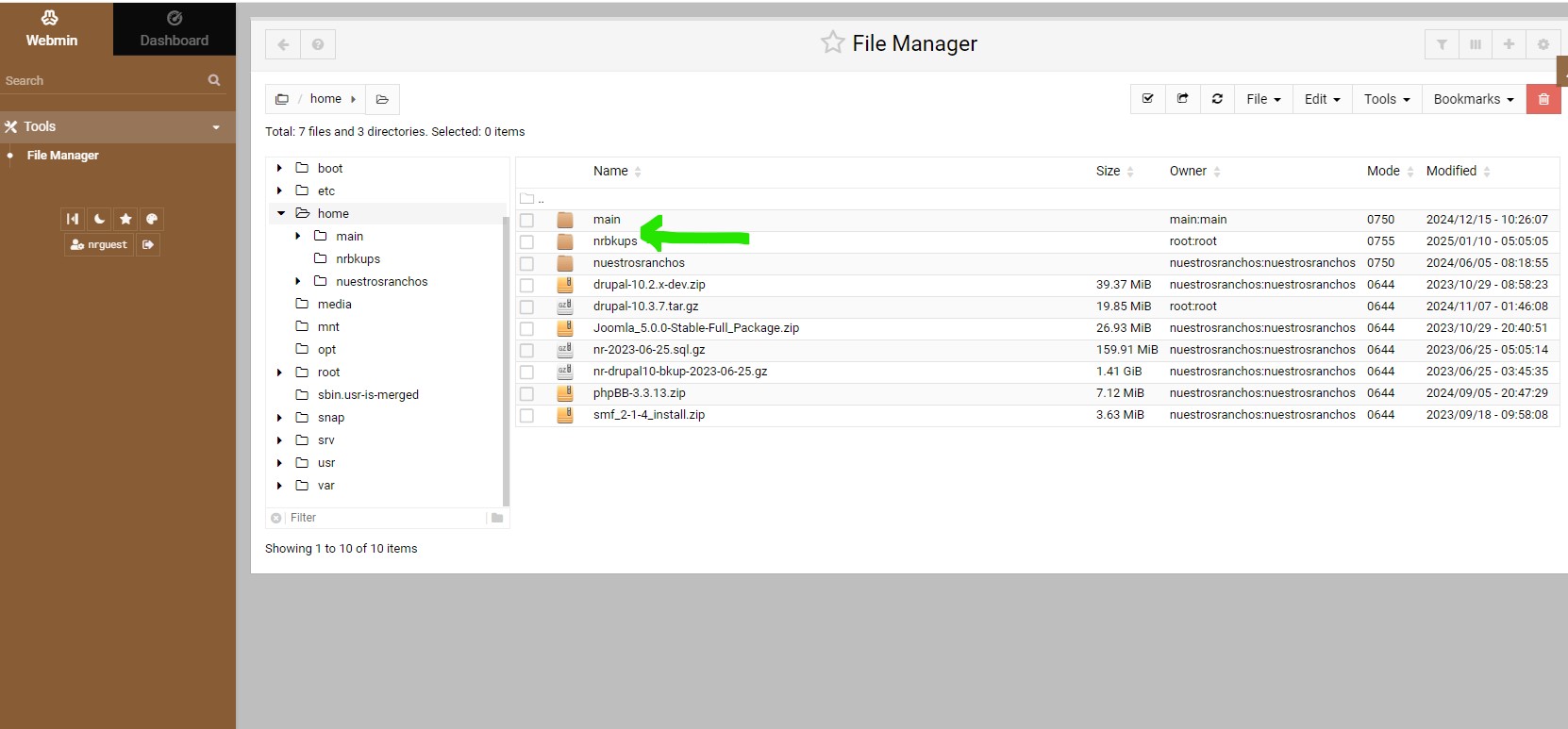
This will bring up another screen, with more brown colored icons. Click on the icon
next to the text called "nrbkups".
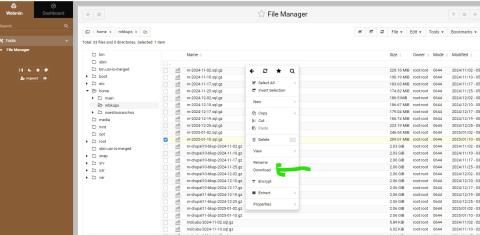
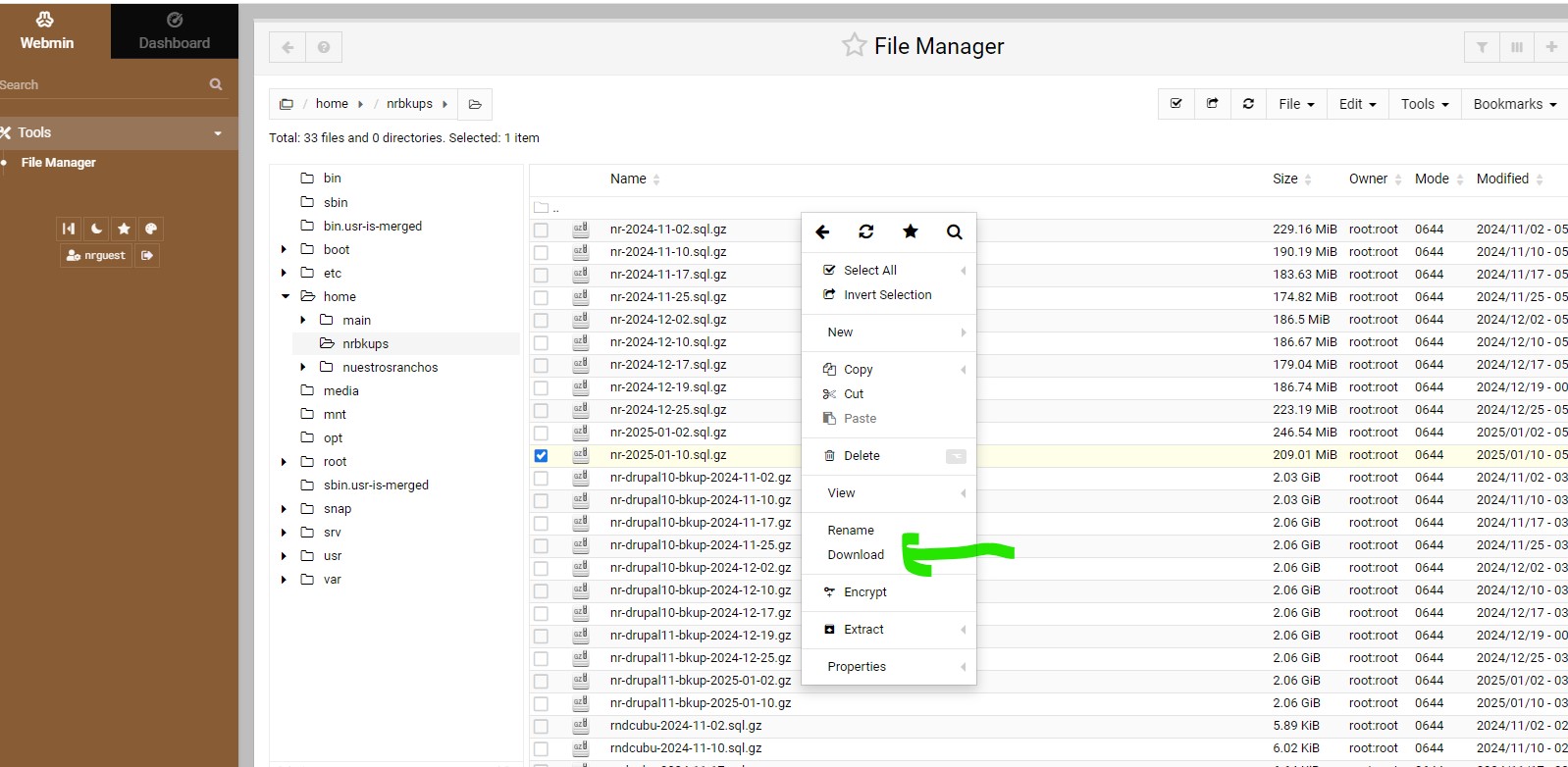
You will then find The NR….files, which you can right click and choose “Download”. I would recommend at
least downloading the latest of each of the 3 files. I do offload these files every so often, and normally
keep only the last few months.
The first group of files are the Drupal database files labeled nr-2025-xx-xx.sql.gz
The second group of files are the Drupal files labeled nr-drupal11-bkup-2025-xx-xx.gz
The 3rd group of files are the Drupal email files labeled rndcubu-2025-xx-xx.sql.gz
The steps for accessing site and downloading files are attached and shown below:
| Attachment | Size |
|---|---|
| Step 1 - Login | 41.19 KB |
| Step 2 - Site Layout | 167.87 KB |
| Step 3 - Click on Tools | 157.83 KB |
| Step 4 - Click on File Manager | 275.19 KB |
| Step 5 - Click on Home | 211.35 KB |
| Step 6 - Click on nrbkups | 156.14 KB |
| Step 7 - Right mouse click on on file to download, and then select download | 254.55 KB |

- Log in to post comments